Filter for Mac
Ferroform
A filter made of liquid.
Run your audio through one of eleven liquids that respond in real time to a filter. Sound design has never been this engaging.
$29 until December 31, then $49
Try out the plugin for free, purchase a license to own it.
- Platform
- macOS 11 or later · Apple silicon and Intel
- Formats
- VST3 · AU · Standalone
- Tested on
- macOS 26.5 on Apple silicon (M5), Ableton Live and Logic Pro
- Version
- 1.0.0
In your browser
Press PLAY, then pick a liquid
Clear is the default mode, changing nothing. Try out some of the presets and play with the parameters to get a feel for the sound design possibilities.
Watch6 short films, a minute or less each
Transcript
This is Ferroform: a filter made of liquid.
Shape, resonance and drive say what the filter does.
The liquid decides how it moves, how it answers your sound, and how it colors it.
There are eleven liquids. Water does what the filter says, nothing more.
Ambrosia is warm and heavy, and leaves long honey trails.
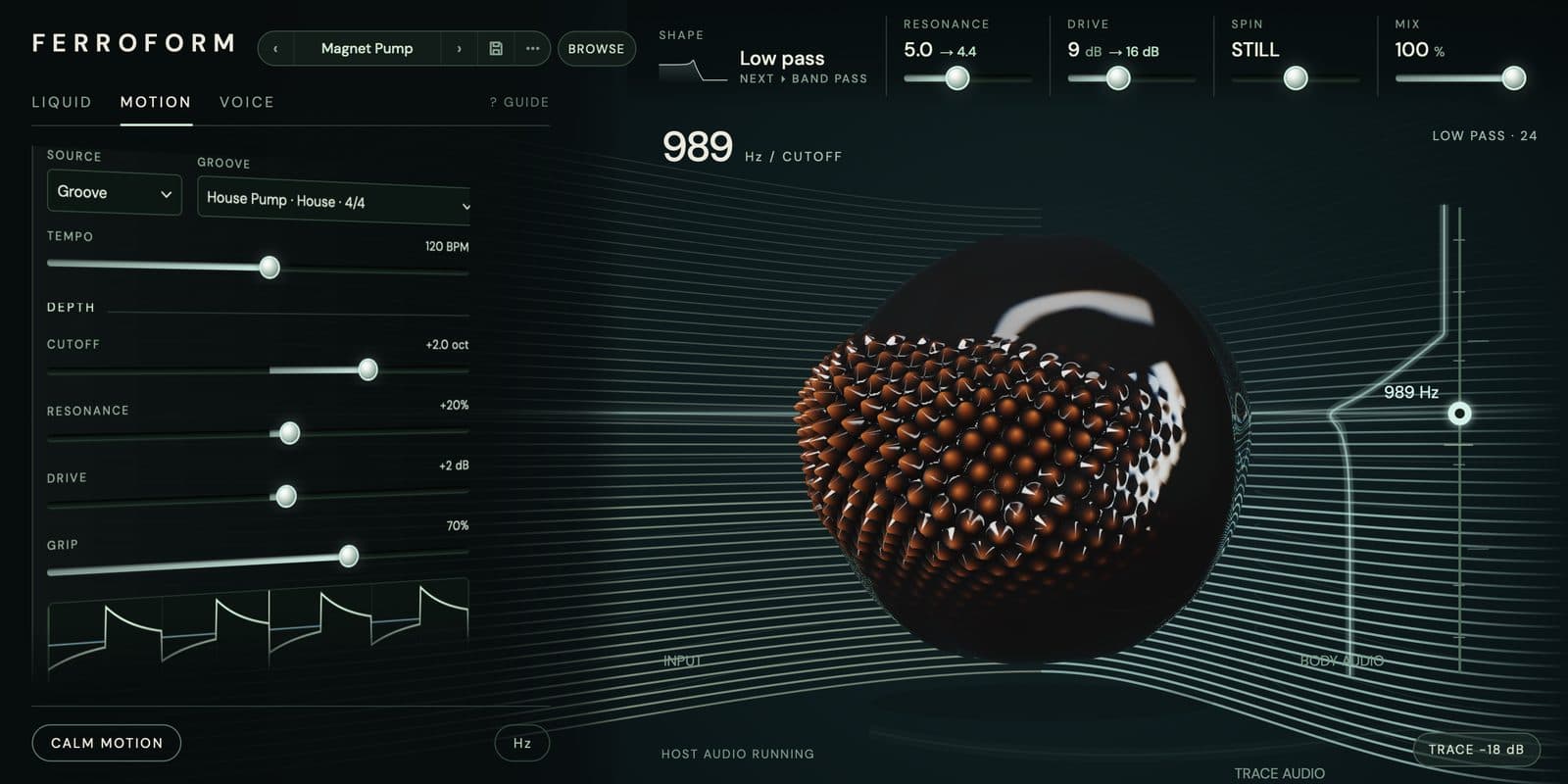
Ferro snaps back, and spikes stand up near the field.
It moves in time: 67 grooves, each in its own meter, or an LFO, steps, or your own playing.
Grip sets how directly the movement lands.
Spin turns the orb, and each rib presses the filter open as it passes.
The orb is the liquid, drawn from the same state the sound uses.
What you see is what you hear.
Eight shapes, 43 presets, and a guide to every control.
Ferroform is for Mac. Find it at smileyface.studio.
What it does
Eleven liquids
Each liquid has its own Mass and Viscosity, and the same two numbers move the cutoff and the orb. Ferro is light and snaps back. Ambrosia is heavy, and every move drags a long trail behind it, on the stage and in your ears. Picking a liquid loads its feel, and every one of its ten properties stays yours to change.
Ferro
Magnetic ladder. Snaps back; spikes stand up near the field.
SPIKES stands resonant peaks a few semitones apart along the cutoff, as big and as sharp as you set them.
Ferro, 1 of 11
GRIP
67 grooves, each in its own meter, play the cutoff, resonance and drive together. GRIP sets how hard a groove lands. At 0 it pushes through the liquid's weight and arrives smeared; at 100% it lands on the beat, and the line on the stage jumps with it. Automate GRIP and a groove comes in slowly.
SPIN
SPIN turns the orb in time with your DAW, from one turn every 4 bars to one every 1/16, either way round. Each rib presses the filter open as it passes the line, so the rhythm you hear is the ribs you see go by.
Eight shapes
Low pass, band pass, high pass and notch, plus four with a voice of their own. Vowel talks U–O–A–E–I as the cutoff climbs. Comb rings teeth on the cutoff's pitch. Phaser carves moving notches, and Partials rings on the harmonics above it.
43 presets
Ferroform opens on Clear, which is Water with the filter wide open and nothing moving, so what you hear when it opens is your own track. The other 42 sit in genre folders, and BROWSE finds them by name, liquid, genre or instrument. At MIX 0, or bypassed, what comes out is your input, exactly, 28 samples later, and Ferroform tells your DAW so everything stays lined up.
Made at Smiley Face Studio · San Diego
Go with the flow
Ferroform
$29 until December 31, then $49.
- How it arrives
- Pay with PayPal or a card. Your license and the download are on the next page, and in your inbox.
- The license
- One license covers every format, on the Macs you make music on. It works offline, with no account and no iLok. Updates are free.
- Your Mac
- macOS 11 or later, Apple silicon or Intel. There’s no Windows version yet.
- Questions?
- Write to david@smileyface.studio.
All sales are final (refund policy).
Tell us what you think
A liquid you wish it had, or a groove that lands wrong. Tell us.
Report a bug
Say what you did and what you expected. The fix comes back to you as a free update.